
What is Sole Proprietorship?
A sole proprietorship is the simplest and most popular business structure in Pakistan, where an individual owns and operates the business independently.
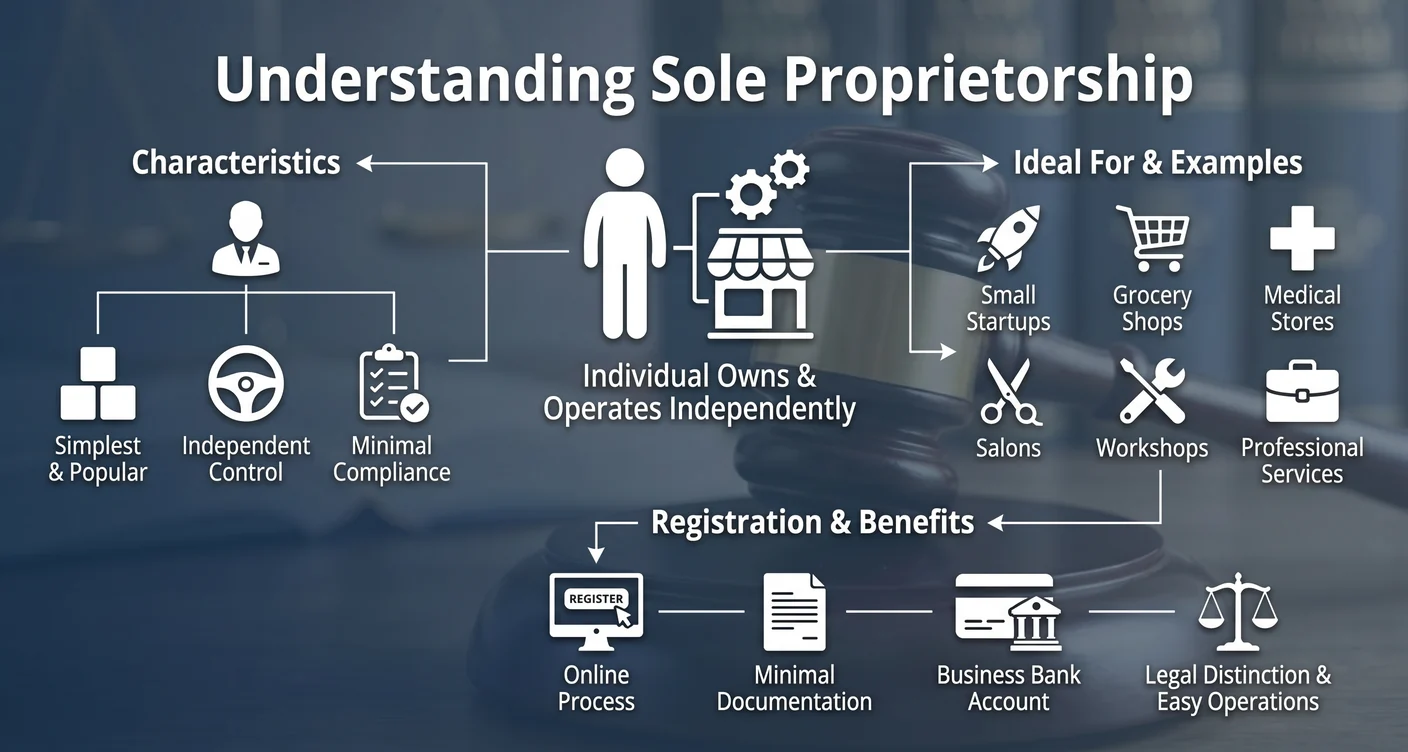
A sole proprietorship is a well-known business structure for individuals in Taxila and throughout Pakistan, where the business and owner are legally the same entity.
This type of business structure is ideal for small startups, grocery shops, medical stores, salons, workshops, and professional services. Many businesses in Taxila operate as sole proprietorships due to their simplicity and minimal compliance requirements.
Registration is an online process requiring minimal documentation. After registration, you can open a bank account in the business name, providing legal distinction and easing business operations.
Characteristics of Sole Proprietorship
Single Owner
The business is owned and managed by a single individual who has complete control over all business decisions.
No Separate Identity
There is no legal distinction between the owner and the business. The owner bears all responsibilities.
Unlimited Liability
The owner has personal liability for all business debts and obligations.
Minimal Legal Formalities
Simple registration process with minimal paperwork and compliance requirements.
All Profits to Owner
All profits earned belong solely to the proprietor without sharing with anyone.
Easy to Dissolve
Can be closed or dissolved easily without complex legal procedures.
How to Register in Pakistan
Step 1: FBR Registration
Create your FBR login through IRIS portal at iris.fbr.gov.pk for enrollment in the Federal Board of Revenue system.
Step 2: Form 181
Fill out Form 181 for enrollment in the FBR System with your personal and business details.
Step 3: Business Details
Add your business name, address, and choose your principal business activity.
Step 4: Submit Documents
Attach required documents to Form 181 and submit for NTN (National Tax Number) issuance.
Step 5: Bank Account
After receiving NTN, open a business bank account at any commercial bank to start operations.
Documents Required
Identity Documents
- Copy of CNIC (National Identity Card) issued by NADRA
- Mobile number and email not previously registered with FBR
Business Documents
- Business name and address
- Principal business activity
- Paid electricity bill (last 3 months)
- Rent agreement with owner CNIC copy (if rented premises)
Post Registration Requirements
Annual Responsibilities
- File annual Income Tax Returns on time through FBR IRIS portal
- File monthly Sales Tax Returns if registered for Sales Tax
- Maintain proper books of accounts for your business
- Renew business registrations annually as required